
Dashboard
Objective
Section titled “Objective”It is the main screen of the system. From here, the user can view recent information at a glance and quickly access the main modules.
Key functionalities
Section titled “Key functionalities”- Navigation menu: Direct access to all sessions (Tasks, Prospects, Candidates, etc.).
- New applications: Summary of recent candidates with contact information, status, and project they applied to.
- Video & CV: Quick links to presentation and resume if available.
- Open events: Display of scheduled meetings and LinkedIn events.
Reference screenshots
Section titled “Reference screenshots”(Refer to images 1 to 3 of the original manual to view widget distribution and key metrics).
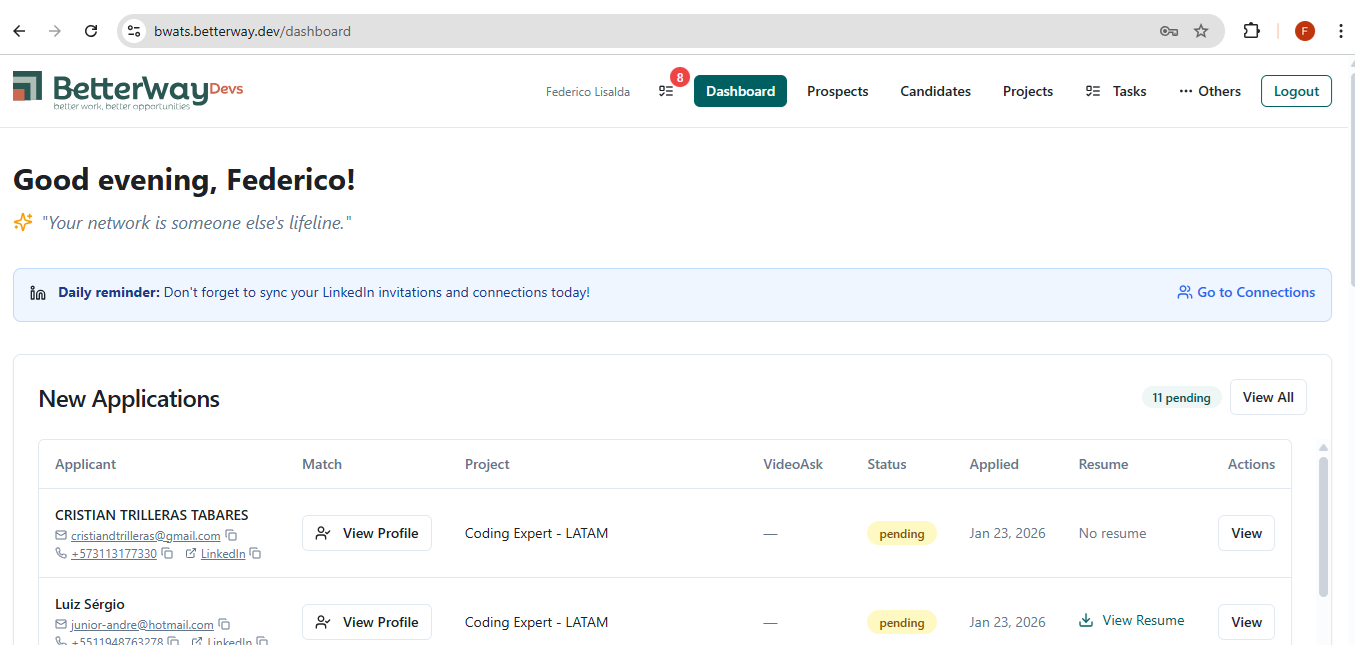 Figure 1: General Dashboard view
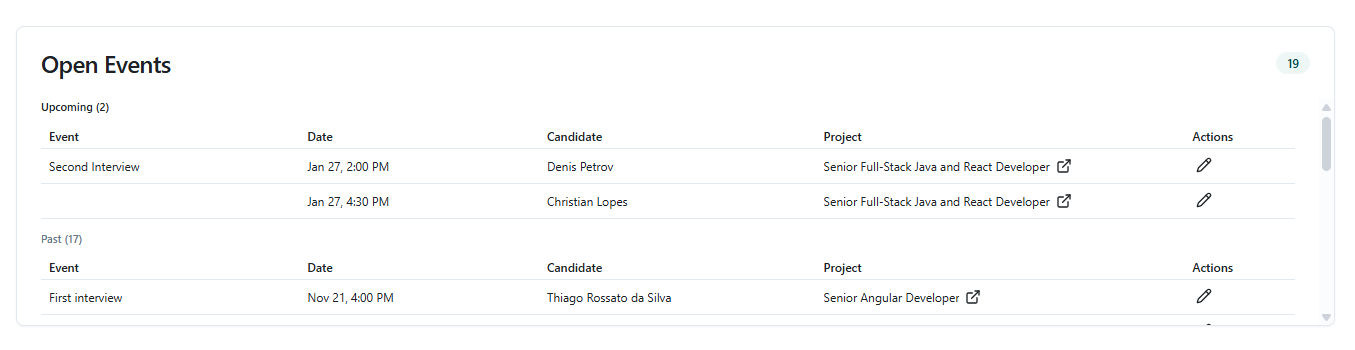 Figure 2: General Dashboard view
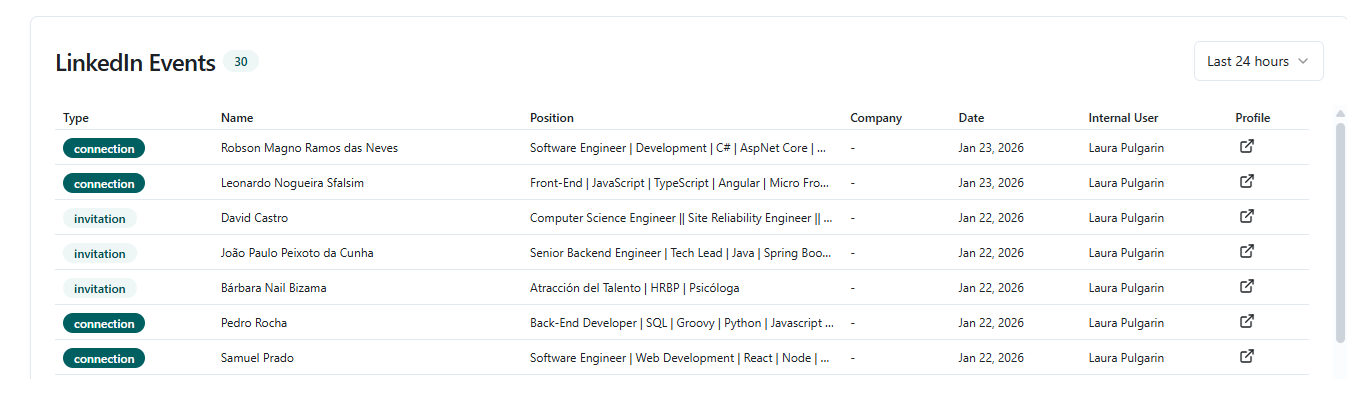 Figure 3: General Dashboard view
Operational tips
Section titled “Operational tips”- Use Dashboard shortcuts to review the daily status of your operation.
- Check new entry notifications before starting deep tasks.