
Other
Module Objective
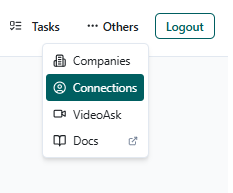
Section titled “Module Objective”Centralize administrative and complementary functionalities of the ATS BT that support the recruitment process, enabling the management of companies, LinkedIn connections, and English validations through VideoAsk.
What is it for?
Section titled “What is it for?”The Others module allows you to:
- Manage the companies/clients associated with projects.
- Manage and view LinkedIn connections and invitations.
- Validate candidates’ English level through VideoAsk.
- Maintain structured information that directly impacts projects and candidates.
Submodule: Companies
Section titled “Submodule: Companies”Submodule Objective
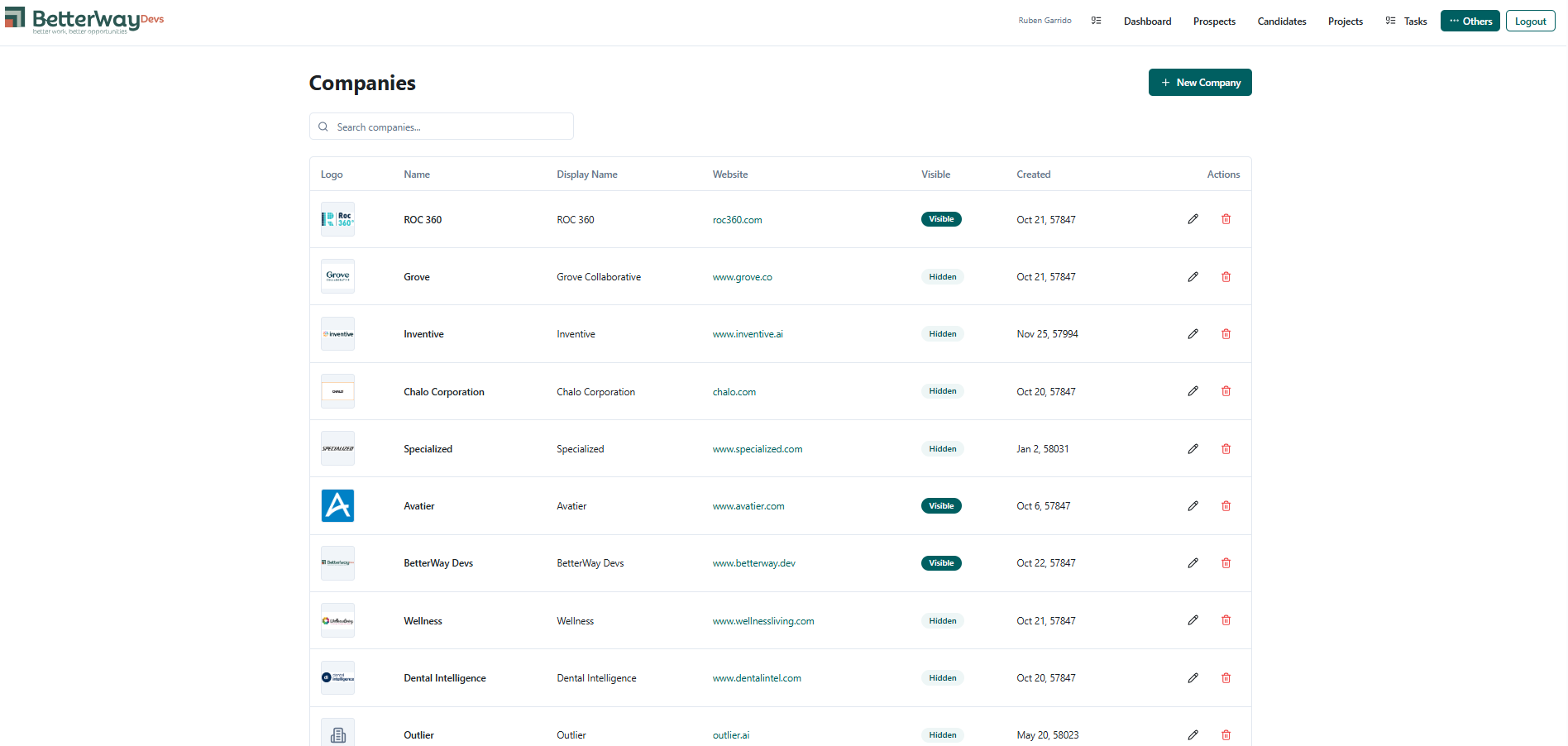
Section titled “Submodule Objective”Manage the list of ATS client companies, ensuring that the information is up-to-date and correctly visible for use in projects and selection processes.
What is it for?
Section titled “What is it for?”It allows you to:
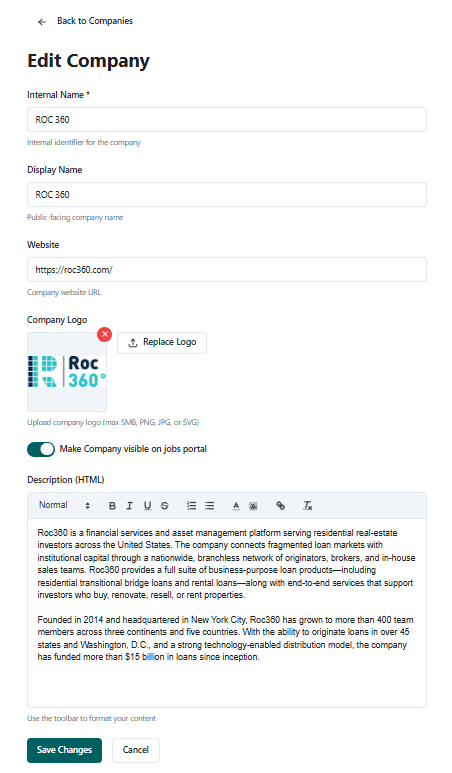
- Create new companies.
- Edit existing information.
- Control company visibility.
- Associate companies with active projects.
- Maintain consistency between internal name and public name.
Operational Tips (Companies)
Section titled “Operational Tips (Companies)”- Use a clear and commercial Display Name for clients.
- Keep internal or test companies Hidden.
- Verify the website before saving.
- Avoid duplicating companies with similar names.
Errors to Avoid (Companies)
Section titled “Errors to Avoid (Companies)”- Creating the same company multiple times with different names.
- Not checking visibility before using it in projects.
- Using internal names as public names.
- Deleting companies that are already associated with active projects.
Submodule: Connections
Section titled “Submodule: Connections”Submodule Objective
Section titled “Submodule Objective”Manage LinkedIn connections and invitations linked to the user within the ATS BT.
What is it for?
Section titled “What is it for?”It allows you to:
- View existing connections.
- See sent or pending invitations.
- Filter to show only your own connections.
- Control networking reach from the platform.
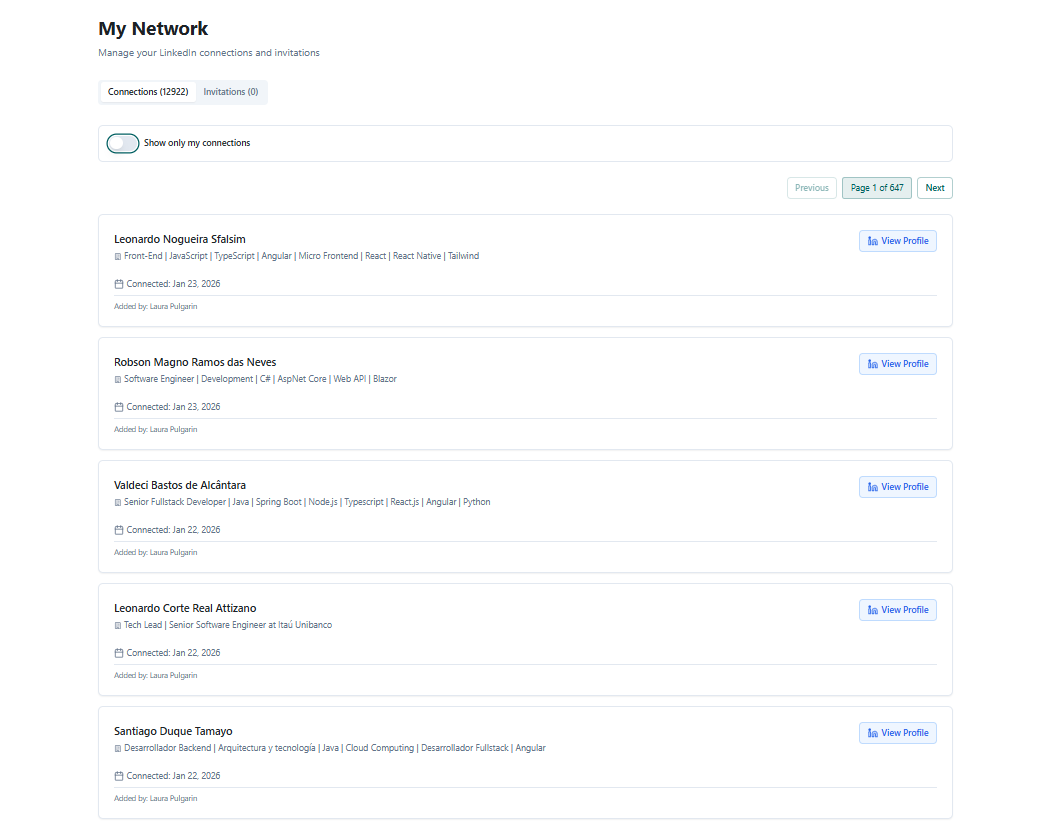
Prospect information and the recruiter who made the connection, plus a button that redirects to LinkedIn.

Operational Tips (Connections)
Section titled “Operational Tips (Connections)”- Use this module as a reference, not as the only LinkedIn control.
- Enable the Show only my connections filter for personal searches.
- Review invitations before contacting duplicate prospects.
Errors to Avoid (Connections)
Section titled “Errors to Avoid (Connections)”- Assuming all connections are automatically synchronized.
- Not reviewing pending invitations before new contacts.
- Confusing ATS connections with personal LinkedIn.
Submodule: VideoAsk
Section titled “Submodule: VideoAsk”Submodule Objective
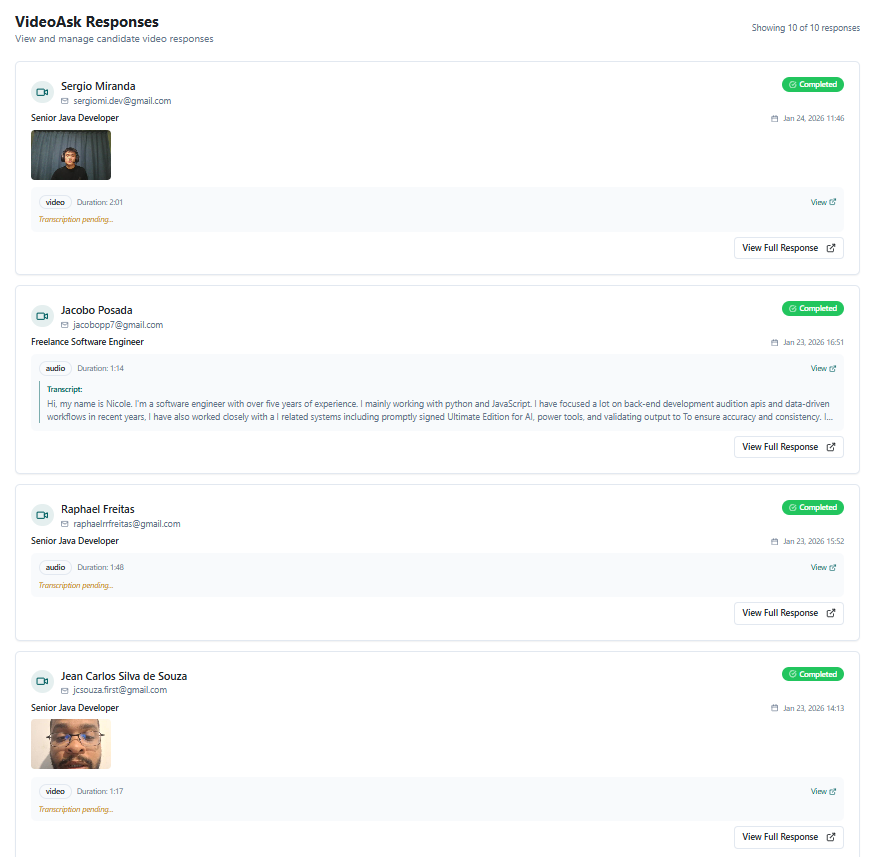
Section titled “Submodule Objective”Validate candidates’ English level through video responses stored in real-time.
What is it for?
Section titled “What is it for?”It allows you to:
- Evaluate communication skills in English.
- Store responses recorded by candidates.
- Facilitate quick decisions for clients.
- Reduce unnecessary interviews.
- Support decisions to discard or advance candidates.
Operational Tips (VideoAsk)
Section titled “Operational Tips (VideoAsk)”- Use clear and short questions.
- Evaluate fluency, comprehension, and pronunciation.
- Review videos before presenting candidates to the client.
- Document conclusions in candidate notes.
Errors to Avoid (VideoAsk)
Section titled “Errors to Avoid (VideoAsk)”- Advancing candidates without reviewing the videos.
- Using VideoAsk only as an automatic filter.
- Not communicating the purpose of the validation to the candidate.
- Ignoring cultural context or initial nervousness.